

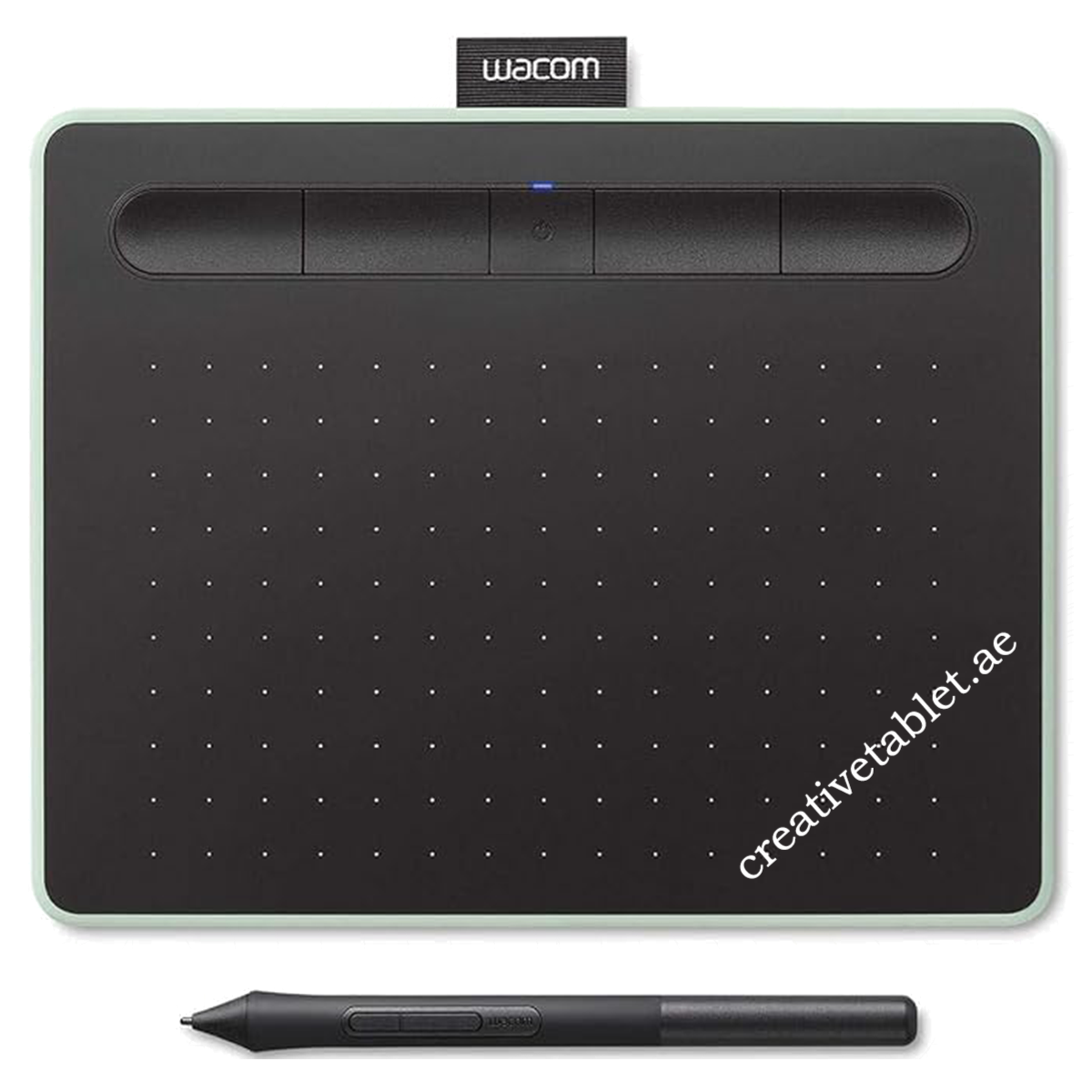
Description
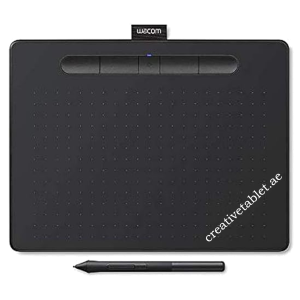
Wacom Intuos Small CTL-4100WLE-N Key Features
- Brand: Wacom
- Series: Intuos
- Model: CTL-4100WLE-N
- Product Type: Graphics / Pen Tablet
- Size: Small
- Color: Pistachio Green
- Bluetooth: Yes
- Bluetooth Type: Bluetooth Classic
- Wired Connectivity: USB
- Active Area: 152 × 95 mm
- Active Area: 6.0 × 3.7 inches
- Pen: Wacom Pen 4K
- Pressure Levels: 4,096
- Pen Resolution: 2,540 lpi
- Pen Technology: Electromagnetic Resonance
- Pen: Battery-free
- Pen Buttons: 2
- ExpressKeys: 4
- Battery: Built-in rechargeable Li-ion
- Battery Runtime: Minimum 15 hours
- Charging Time: Up to 3.5 hours
- Tablet Dimensions: 200 × 160 × 8.8 mm
- Weight: 250 g
- Reading Height: 7 mm
- Report Rate: Up to 133 pps
- Security: Tether slot
- Hand Orientation: Right / Left
- Android: Compatible
- ChromeOS: Compatible
- Windows: Compatible
- macOS: Compatible
Wacom Intuos Small with Bluetooth – Product Overview
The Wacom Intuos Small CTL-4100WLE-N is a compact graphics tablet designed for artists, students, photographers, designers, educators and anyone looking for a natural digital pen input experience.
The tablet provides a 152 × 95 mm active drawing area, while the included Wacom Pen 4K delivers 4,096 levels of pressure sensitivity without requiring batteries or charging. Bluetooth Classic provides wireless connectivity, while USB connectivity is available when a wired connection is preferred.
The Pistachio Green finish gives this model a distinctive appearance compared with the black Intuos models. Wacom identifies CTL-4100WLE as the Pistachio version of the small Bluetooth Intuos.
4. Wacom Intuos Small 152 × 95 mm Active Area
The Intuos Small provides an active drawing area of:
152 × 95 mm
or approximately:
6.0 × 3.7 inches
The active area provides enough workspace for illustration, photo editing, handwriting, annotation and everyday creative work while keeping the tablet compact for desks, classrooms and mobile setups.
5. Wacom Pen 4K
The included Wacom Pen 4K is a battery-free, pressure-sensitive digital pen using Wacom’s electromagnetic resonance technology.
Pen Features
- 4,096 pressure levels
- Battery-free
- Cordless
- Electromagnetic Resonance technology
- 2 customizable side switches
- 2,540 lpi / 100 lines per mm resolution
- Approximately 7 mm reading height
- Lightweight ergonomic design
- Built-in nib storage
- Nib removal tool integrated into the pen
The pen weighs approximately 11.2 g including three nibs.
6. 4,096 Pressure Levels
The Wacom Pen 4K provides 4,096 levels of pressure sensitivity.
This allows compatible creative applications to respond naturally to variations in pen pressure, making it possible to control characteristics such as:
- Brush thickness
- Opacity
- Stroke intensity
- Digital painting effects
- Calligraphy
- Sketching
The pressure-sensitive pen is designed to provide a more natural alternative to using a conventional mouse for creative work.
7. Bluetooth Wireless Connectivity
The CTL-4100WLE-N supports Bluetooth Classic for wireless connection to compatible computers.
This allows you to use the tablet without keeping the USB cable connected during normal wireless operation. The tablet also supports USB connectivity for wired use.
Connection Options
- Bluetooth Classic
- USB
8. Built-In Rechargeable Battery
Because this is a Bluetooth-enabled Intuos model, the tablet includes a built-in rechargeable lithium-ion battery.
Wacom specifies:
- Battery: Built-in, non-replaceable Li-ion
- Battery capacity: 4.68 Wh / 1,265 mAh
- Continuous operation: Minimum 15 hours
- Charging time: Up to 3.5 hours
These battery specifications apply to the Bluetooth Intuos models.
9. Four Customizable ExpressKeys
The tablet includes four customizable ExpressKeys.
These can be configured for commonly used commands and shortcuts, helping users work more efficiently without repeatedly reaching for the keyboard.
ExpressKeys can be configured for functions such as:
- Undo
- Redo
- Brush controls
- Zoom
- Modifier keys
- Application shortcuts
- Radial Menu
- Other frequently used commands
ExpressKeys are supported on Windows PC and Mac.
10. Two Pen Buttons
The Wacom Pen 4K includes two customizable side switches.
These can be configured for functions such as:
- Right click
- Eraser
- Modifier keys
- Application shortcuts
- Navigation controls
This allows users to perform common actions without reaching for the keyboard or mouse.
11. Slim 8.8 mm Design
The Wacom Intuos Small has a slim profile of only:
8.8 mm
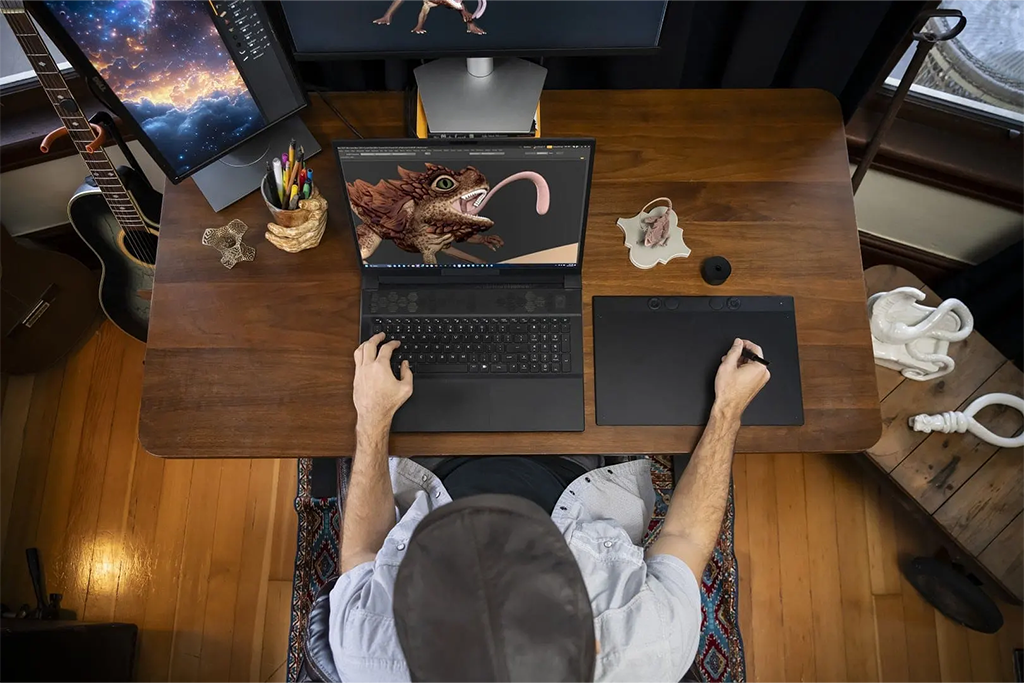
This makes it easy to place on a desk alongside a laptop or monitor and convenient to carry between locations.
12. Compact and Lightweight
The tablet measures:
200 × 160 × 8.8 mm
and weighs approximately:
250 g
for the Bluetooth version.
This makes the Intuos Small particularly suitable for students, home users, classrooms and users who need a portable drawing tablet.
13. Right- or Left-Handed Use
The Wacom Intuos is designed for both:
- Right-handed users
- Left-handed users
The tablet orientation can be configured through the Wacom driver/software.
14. Productivity Features
Wacom Intuos supports productivity features such as:
- ExpressKeys
- Radial Menu
- Display Toggle
- On-screen keypad
- Application-specific shortcut settings
These features allow the tablet to be customized for different creative applications and workflows.
15. Android Support
The Wacom Intuos can also be used with compatible Android smartphones and tablets.
Wacom specifies support for compatible Android devices running Android 6.0 or later with OTG functionality.
This allows users to create on a compatible Android device while using the Intuos as the pen input surface.
16. Chromebook Support
The Wacom Intuos supports compatible ChromeOS / Chromebook devices.
Wacom states that Intuos is certified to meet Google’s compatibility standards for supported ChromeOS devices.
For your product page, I recommend writing:
Works with compatible Chromebook devices. ChromeOS compatibility may depend on the device and current ChromeOS version.
17. Creative Software
Depending on the model, region and current Wacom software offer, registered Intuos users may be able to select complimentary creative applications.
Wacom states that software availability depends on the model and requires a Wacom ID and product registration. Additional registration with the software provider may also be required.
The Intuos software options have included applications such as:
- Corel Painter Essentials
- Corel AfterShot
- CLIP STUDIO PAINT PRO
However, software offers can change, so I recommend not putting a permanent software-license promise in your product title or main specifications unless your current distributor confirms the exact bundle.
18. Suitable For
The Wacom Intuos Small is suitable for:
- 🎨 Digital drawing
- ✏️ Sketching
- 🖌️ Digital painting
- 📷 Photo editing
- 🖼️ Graphic design
- 📚 Online teaching
- ✍️ Digital handwriting
- 📝 Annotation
- 🎬 Basic animation
- 🎮 Creative projects
- 🧑🎓 Students
- 👨🎨 Beginner artists




Reviews
There are no reviews yet.